- A001_0417_R1.MXF
- A001_0418_R1.MXF
- A001_0419_R1.MXF
- A018_C018_0101LN_001.R3D
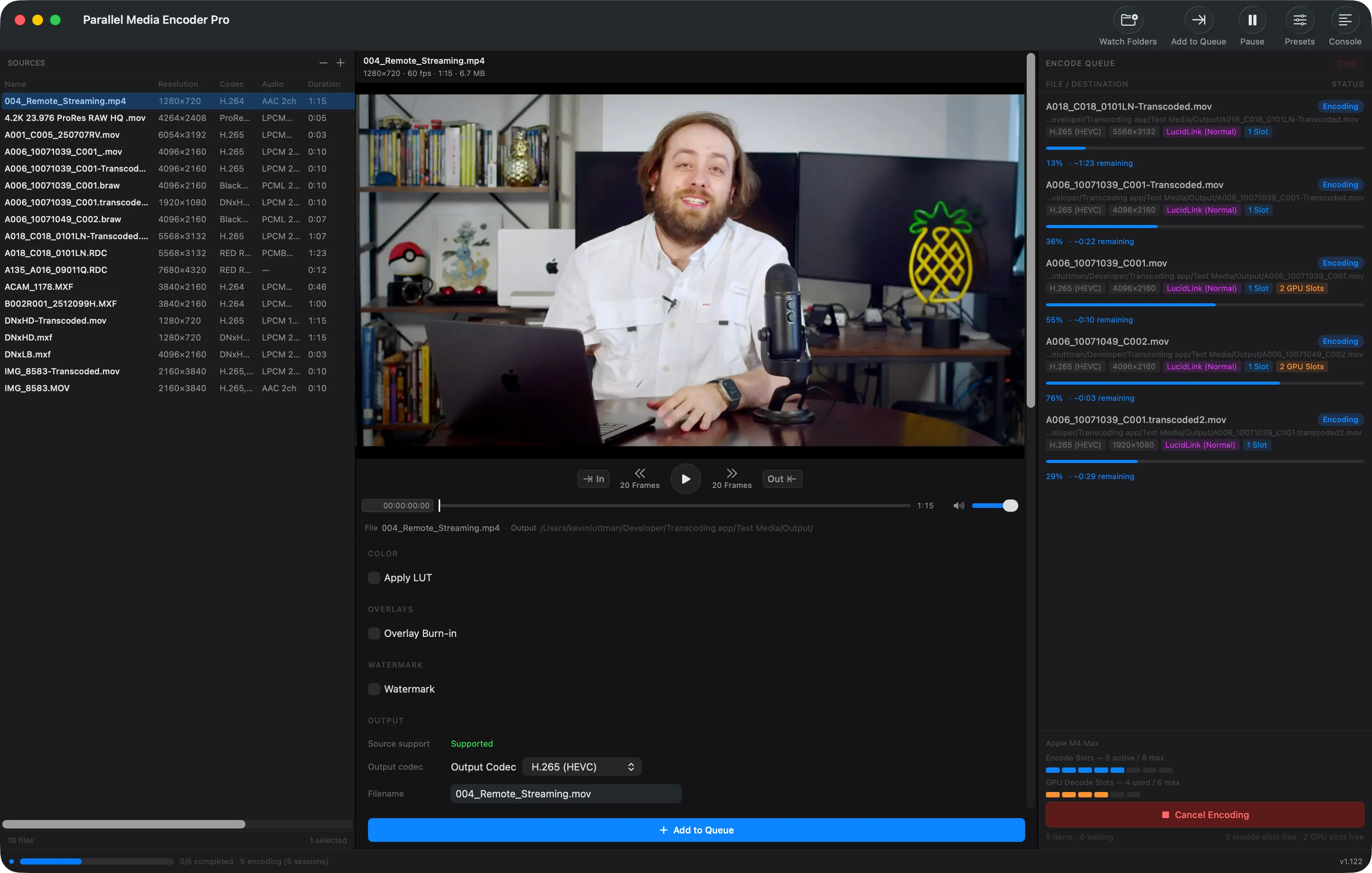
Encoding complete. Parallel encoding finishes up to 39 percent faster than sequential on Apple M4 Max.
Encode faster. In parallel.
Put your Mac to full use, leverage every media engine to get time back in your workflow.
Free tier includes batch queue and 2 simultaneous encodes. No credit card required. Unlock full parallel for $39.
What would you do with the extra time?
Get to editing faster
Spend less time waiting on transcodes and more time in your timeline.
Wrap up set quicker after final offload
Process the final offload faster and get everyone home sooner.
Deliver dailies before the morning meeting
Batch encodes that finish in time, even when new clips come in minutes before a dailies screening.
What users say
Parallel Media Encoder feels like the first transcoding software that was actually built by someone who uses transcoding software. Oh, and it's fast. Really fast.

Brian Chahley
CEO, Streamwell
Ready to save time?
Buy Now — $39Built for professionals
Everything you need for high-volume transcoding, designed for Apple Silicon from the ground up.
Parallel Encoding
Encode 2–10 files simultaneously — 39% faster in benchmarks. Hardware-aware scheduling adapts to your Apple Silicon chip, from MacBook Neo to M3 Ultra.
Professional Codecs
H.264, H.265, and the full ProRes family included free. DNxHR/DNxHD and camera RAW with Pro — BRAW, R3D, ProRes RAW, ARRIRAW/ARRI HDE via the official ARRI Image SDK, and Canon Cinema RAW Light (.CRM).
Color Science
HDR pass-through and tone mapping included. 3D LUT application and RAW exposure control with Pro.
Why parallel encoding is faster
Your Apple Silicon Mac has dedicated hardware media engines built for video encoding. Traditional transcoders only use one at a time — the rest sit idle. Parallel Media Encoder keeps them all busy.
Traditional (Sequential)
SlowEach file waits its turn. 197 seconds.
Parallel Media Encoder
39% fasterAll 8 files encode at once. 119 seconds.
Complete control over every encode
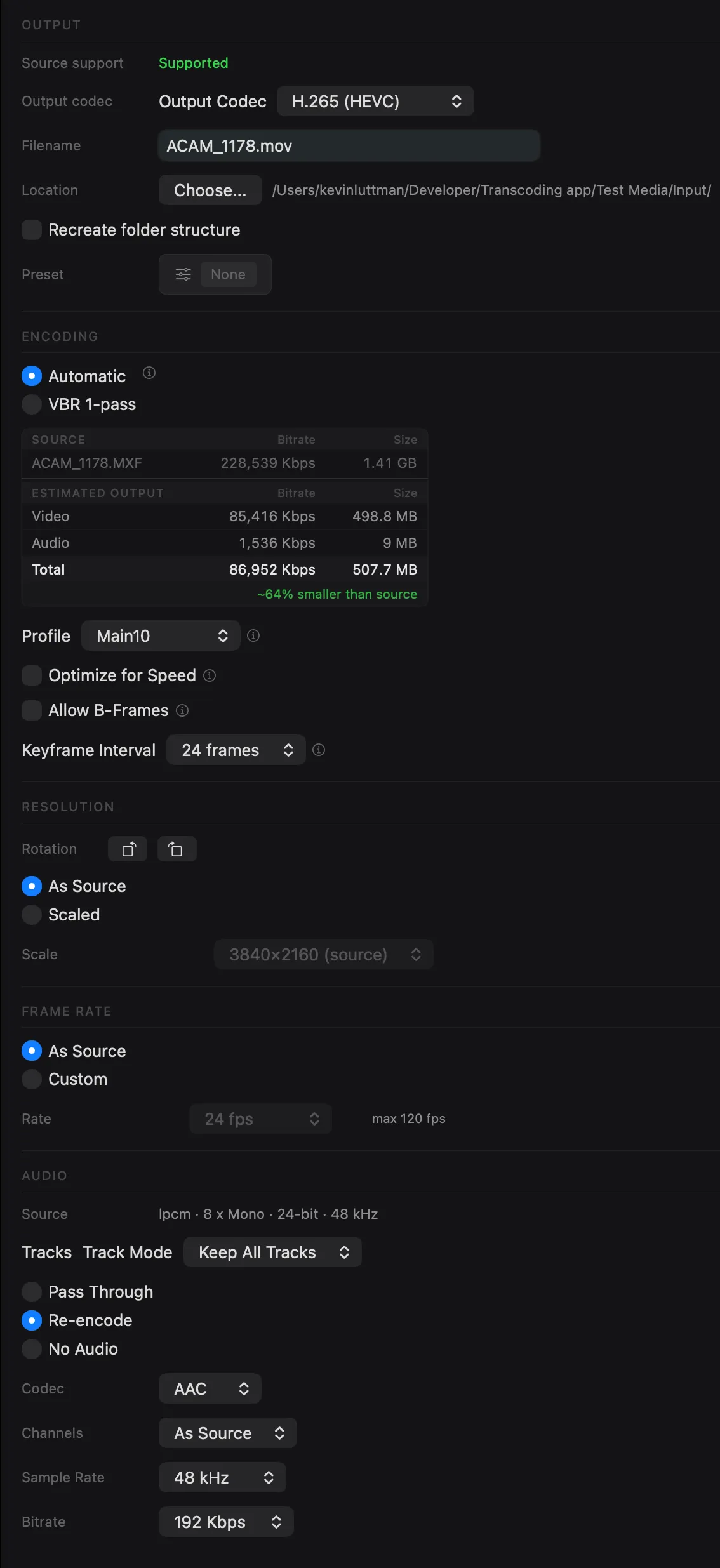
- Quality modes — Automatic, Manual Bitrate, or VBR Two-Pass encoding
- Resolution & rotation — keep source resolution or scale to custom dimensions, with 90/180/270° rotation
- Frame rate conversion — match source or set a custom frame rate
- HDR pass-through — preserve HDR metadata or tone map to SDR
- Audio options — pass-through or re-encode to AAC, FLAC, Opus, and more
See how we compare
Parallel Media Encoder delivers features that other transcoders don't.
| Feature | Parallel Media Encoder | HandBrake | EditReady |
|---|---|---|---|
| Parallel Encoding | 2–10 simultaneous | No | Yes |
| Hardware Acceleration | Apple Silicon media engines | Limited (VideoToolbox) | Limited |
| ProRes Output | Full familyProxy to 4444 XQ with alpha passthrough | No | Yes |
| DNxHR / DNxHD Output | Yes (Pro) | No | Yes |
| RAW Input (BRAW, R3D, ProRes RAW, ARRI, Canon CRM) | Yes (Pro) | No | Yes ($149 Pro) |
| Standard 8-bit H.264 / H.265 Output | Yes | Yes | Yes |
| H.265 Output Control (8/10-bit, 4:2:0/4:2:2) | Yes — you choose | No | Pass-through only |
| 3D LUT Support | Yes (Pro) | No | Yes |
| Custom Presets | Yes (Pro) | Yes | No |
| Video Rotation | Yes | No | No |
| Timecode Overlay | Yes (Pro) | No | Yes |
| Metadata Preview | Yes | No | No |
| Metadata Pass-through | Yes | No | No |
| Watch Folders | Yes (Pro) | No | Yes ($149 Pro) |
| Insta360 Metadata Pass-through | Yes | No | No |
| HDR Support | Pass-through + tone mapping | Limited | Limited |
| Price | Free / $39 Pro Buy Now — $39 | Free | $49 / $149 Pro |
Optimized for your chip
Parallel Media Encoder detects your Apple Silicon chip tier and automatically configures the optimal number of simultaneous encodes — no manual tuning required.
Learn more about parallel encodingEvery codec you need
From camera RAW to delivery formats — Parallel Media Encoder handles your entire post-production pipeline.
Input Formats
Output Codecs
Frequently asked questions
Is Parallel Media Encoder free?
What Apple Silicon chips are supported?
How many files can I encode at once?
What codecs does Parallel Media Encoder support?
What's the difference between Free and Pro?
Does Parallel Media Encoder support watch folders?
Start free, upgrade when you're ready
Download and start transcoding immediately. Unlock parallel encoding, DNx, RAW, and more with Pro.
Free
- H.264 / HEVC / ProRes output
- Batch queue (up to 8 files)
- 2 simultaneous encodes
- Built-in presets
- Video preview & drag-and-drop
- Auto-updates
- No DNx, RAW encode, LUTs, or overlays
Pro
- Everything in Free, plus:
- Parallel encoding (2–10 simultaneous)
- DNxHR & DNxHD output (all variants)
- RAW encode (BRAW, R3D, ProRes RAW, ARRI, Canon CRM)
- HEVC Main10 4:2:2 & ProRes alpha
- 3D LUT & overlay burn-in
- Custom presets (save/edit/export/import)
- Watch folders (auto-transcode new files)
- RAW exposure control
One-time purchase. No subscription.
Full feature comparison
| Feature | Free | Pro |
|---|---|---|
| Batch transcode queue | 8 queued, 2 concurrent | Full chip-tier concurrency |
| H.264 (all profiles) | ||
| HEVC Main / Main10 | ||
| HEVC Main10 4:2:2 | ||
| ProRes (Proxy–4444 XQ) | ||
| ProRes alpha pass-through | ||
| DNx (all variants) | ||
| RAW codecs (BRAW, R3D, ProRes RAW, ARRI, Canon CRM) | Import & preview only | |
| LUT support | ||
| Timecode/text overlay burn-in | ||
| Custom presets | ||
| Watch folders | ||
| Built-in presets | ||
| RAW exposure control | ||
| Auto-updates |
Ready to encode faster?
Download Parallel Media Encoder for free and upgrade when you need parallel power.
Download FreeRequires macOS 14.5 or later. Apple Silicon required.
Get the download link sent to your email