
Why wait for one file when you can encode 10?
Your Apple Silicon Mac has dedicated hardware media engines. Parallel Media Encoder is the only transcoder that uses them all — simultaneously.
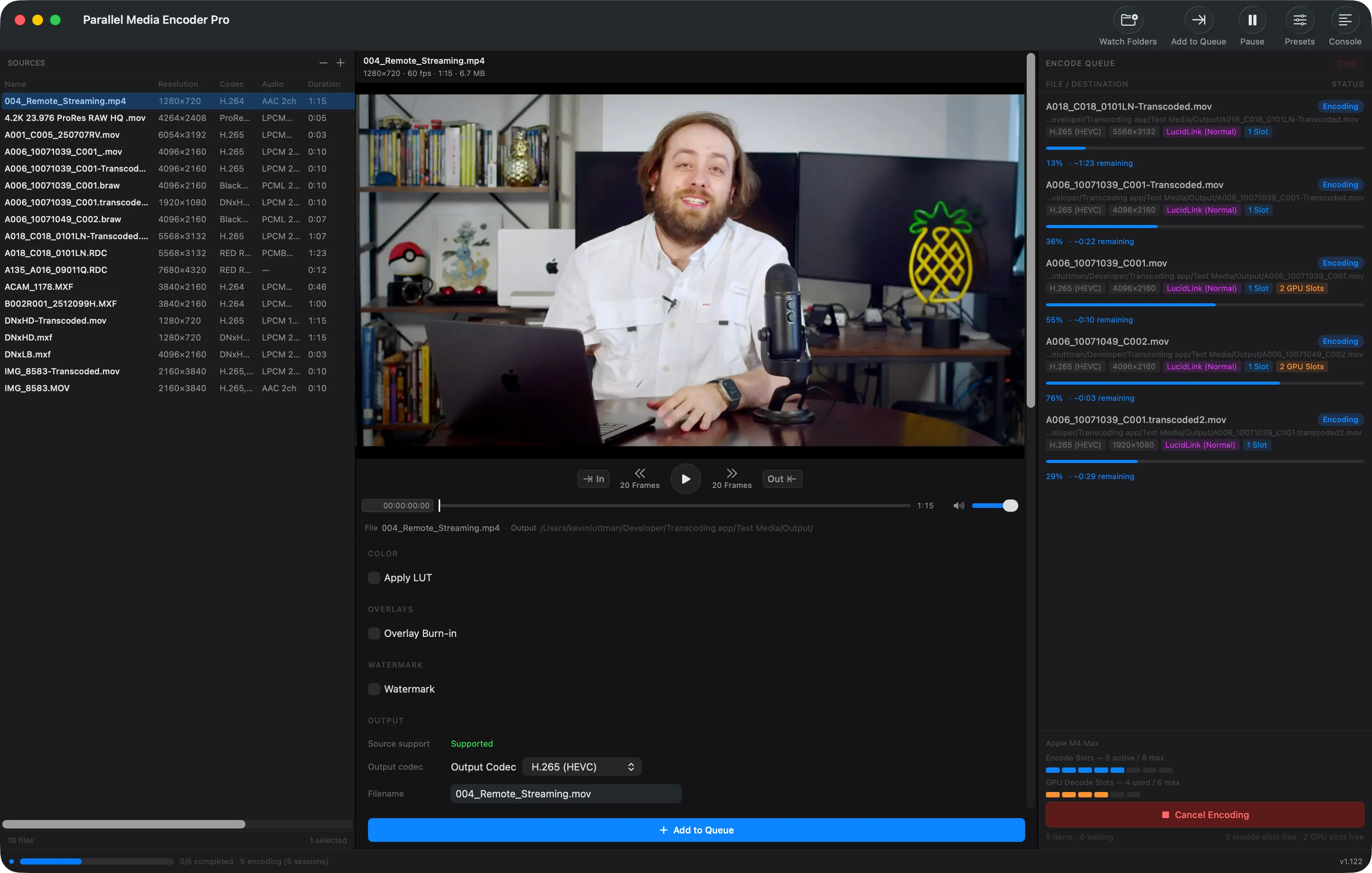
The problem with traditional transcoders
Every other transcoder on macOS processes files one at a time. Even on a machine with multiple hardware media engines, they sit idle — wasting the silicon you paid for.
Traditional (Sequential)
SlowEach file waits for the previous one to finish
Parallel Media Encoder
FastAll 10 files encode at the same time
Hardware-aware scheduling
Parallel Media Encoder reads your Apple Silicon chip configuration and automatically sets the optimal number of simultaneous encodes. No tuning required.
Detect
Identifies your chip model and media engine count at launch
Configure
Sets the maximum concurrent encodes for your hardware
Encode
Runs files in parallel, managing the queue automatically
Batch faster. Not just faster.
Parallel Media Encoder doesn't speed up individual encodes — it eliminates the dead time between them. Every sequential transcoder has a gap: one file finishes, the hardware idles, the next file starts. When you're generating proxies for an entire project, that compounds fast.
We tested both modes on an M4 Max with 8 identical 4K clips. Sequential took 197 seconds. Parallel took 119. Same machine, same files, same output — 78 seconds faster just by keeping the hardware busy.
100 clips. 16 minutes back.
A 100-clip proxy batch takes about 41 minutes on a sequential transcoder. On an M4 Max running Parallel Media Encoder, that same batch finishes in about 25 minutes. That's 16 minutes back in your edit session — per batch.
41 min
sequential, one at a time
25 min
parallel, 8 at a time
~16 min
saved per 100-clip batch
Measured: Apple M4 Max · 8 × 60s 4K UHD MXF source (H.264 10-bit 4:2:2) → H.265 HEVC · Wall-clock time, start to last file complete. Estimated projection extrapolated from measured data: Projection based on 100 clips at measured per-file average, 12 full rounds of 8 + 1 final round of 4. Assumes consistent thermal performance and drive throughput. Actual results vary by source format, clip length, output settings, and chip configuration.
Parallel encoding comparison
| PME | HandBrake | EditReady | |
|---|---|---|---|
| Parallel encoding | Yes | No | Yes |
| Max simultaneous encodes | Up to 10 | 1 | 2 |
| Hardware-aware scheduling | Yes | No | No |
| Chip tier detection | Yes | No | No |
| Queue management | Automatic | Manual | Manual |
Start encoding in parallel
Download Parallel Media Encoder free. Unlock parallel encoding for $39.
Download FreeRequires macOS 14.5 or later. Apple Silicon required.