Every feature, built for professionals
From parallel encoding to camera RAW support, Parallel Media Encoder is designed for high-volume post-production workflows.
Parallel Encoding
Traditional transcoders process one file at a time, leaving your Apple Silicon hardware media engines idle. Parallel Media Encoder detects your chip tier and runs the optimal number of simultaneous encodes.
On an M3 Ultra, that means up to 10 files encoding at once — turning hours of sequential processing into a fraction of the time. Even the MacBook Neo with its A18 Pro chip supports 2 simultaneous encodes.
Deep dive into parallel encodingEvery codec you need
Output to any industry-standard format. Whether you need lightweight H.264 for web delivery or ProRes 4444 XQ for color grading, it's all here.
Delivery
ProRes
DNxHR / DNxHD (Pro)
Camera RAW & beyond
Import directly from your camera media. Parallel Media Encoder supports professional RAW formats alongside standard video containers.
Standard Formats
- ProRes (all variants)
- H.264 / H.265 (GoPro, DJI, Canon, iPhone)
- MXF containers (Sony FX3, FX6, FX9, Panasonic P2)
- Insta360 (.insv / .lrv)
RAW Formats
Pro- Blackmagic RAW (BRAW)
- RED R3D RAW
- ProRes RAW
- ARRIRAW (ALEXA 35, Mini LF)
- ARRI HDE & ARRICORE
- Canon Cinema RAW Light (.CRM)
Import and preview in Free. Encoding, metadata extraction, and color science controls require Pro.
Deep encoding controls
Every parameter at your fingertips. Fine-tune your encodes with professional-grade settings.
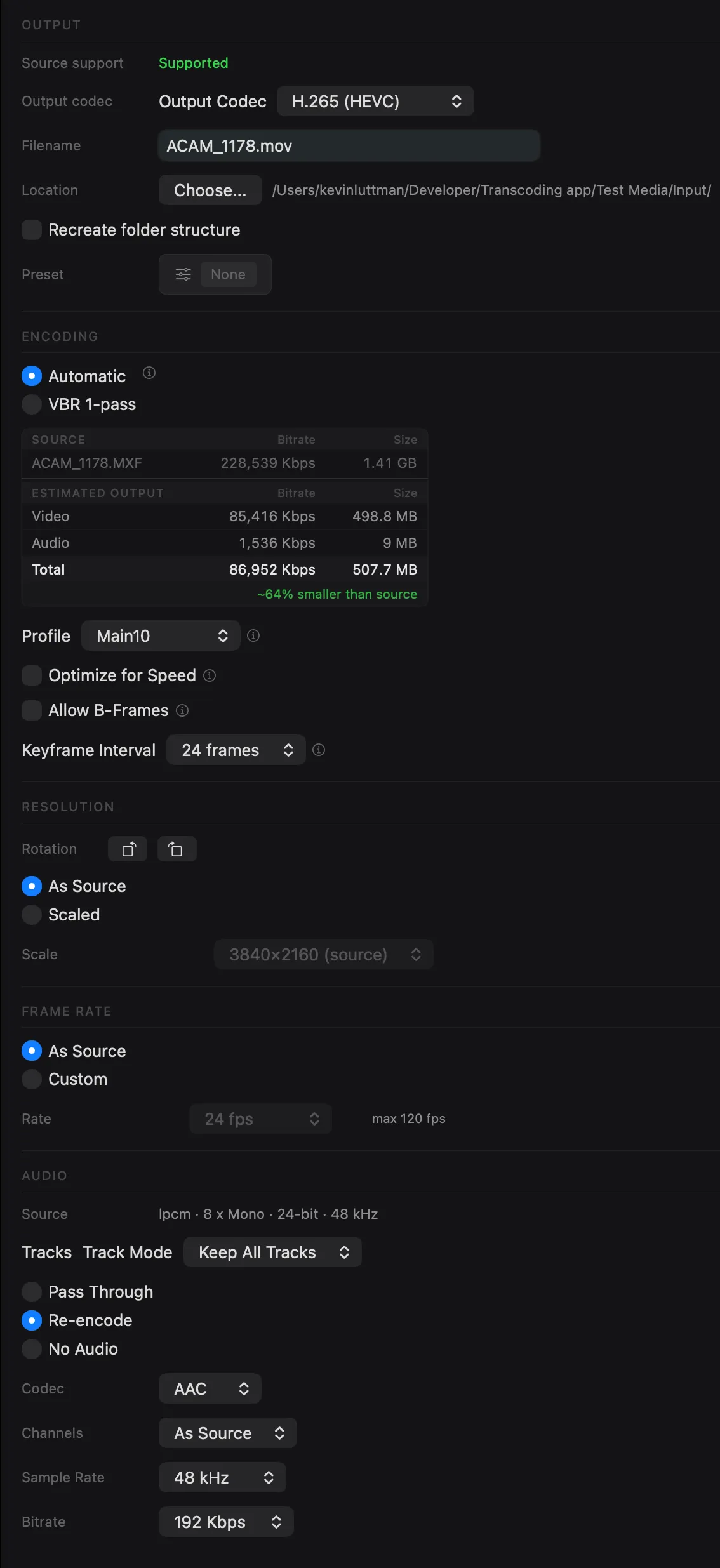
Full control over every encode
Dial in the exact output you need. Every encode exposes codec, quality, resolution, and audio settings — no guessing, no hidden defaults.
Color science, built in
Apply 3D LUTs during transcode, preserve HDR metadata, or tone map HDR to SDR — without round-tripping through a color grading application.
3D LUT Application
ProApply .cube LUTs during transcode for color grading in a single pass.
HDR Support
Pass through HDR metadata or tone map to SDR with automatic profile handling.
Exposure Control
ProFine-tune exposure on RAW footage before encoding with real-time preview.
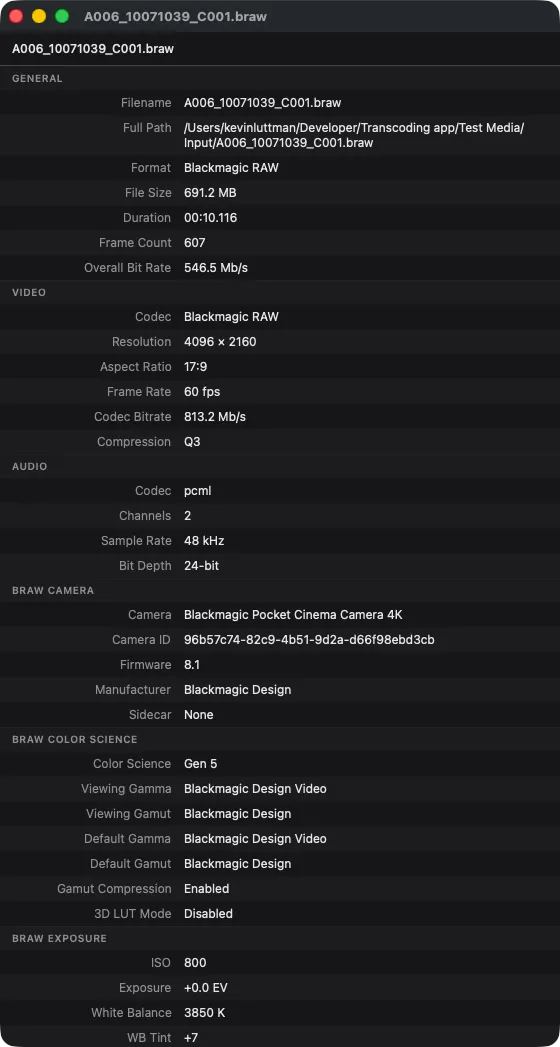
Built-in metadata viewer
Inspect every detail of your source files before encoding. The metadata viewer shows codec, resolution, frame rate, bit depth, color space, camera model, and more — all without leaving the app.
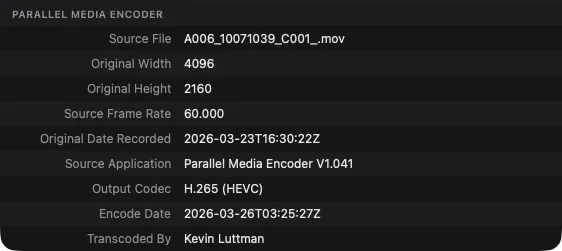
Metadata that travels with your files
Parallel Media Encoder preserves the original metadata from your source files and embeds it in the output — so you always have a record of where a file came from and who created it.
Flexible audio handling
Keep your audio untouched with pass-through mode, or re-encode to the format you need.
Configure target bitrate, channel count, sample rate, and bit depth per encode.
Streamlined workflow
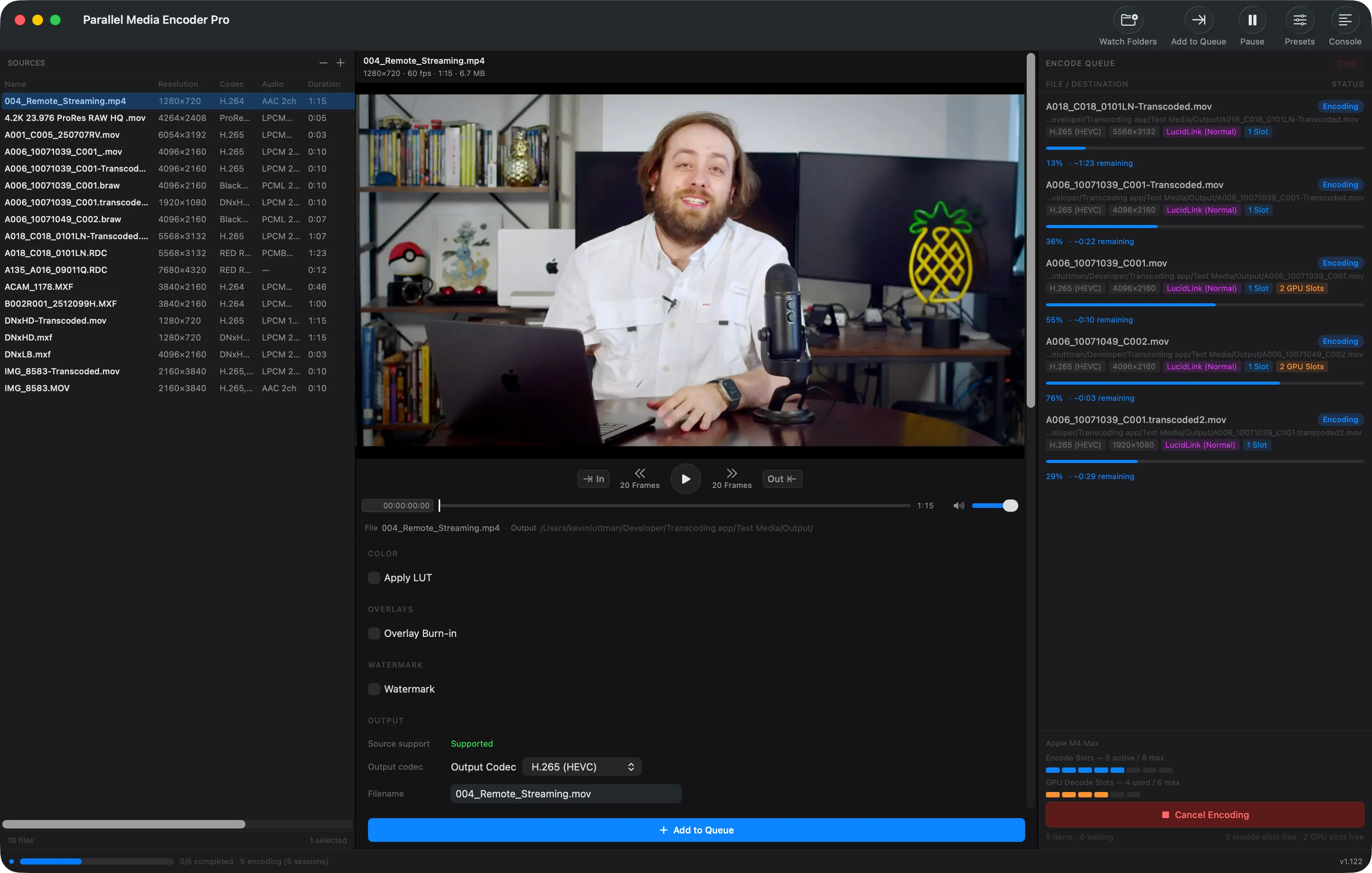
A clean three-panel layout puts your sources, settings, and encode queue in one view. Drag and drop files or scan entire folders.
Presets that work your way
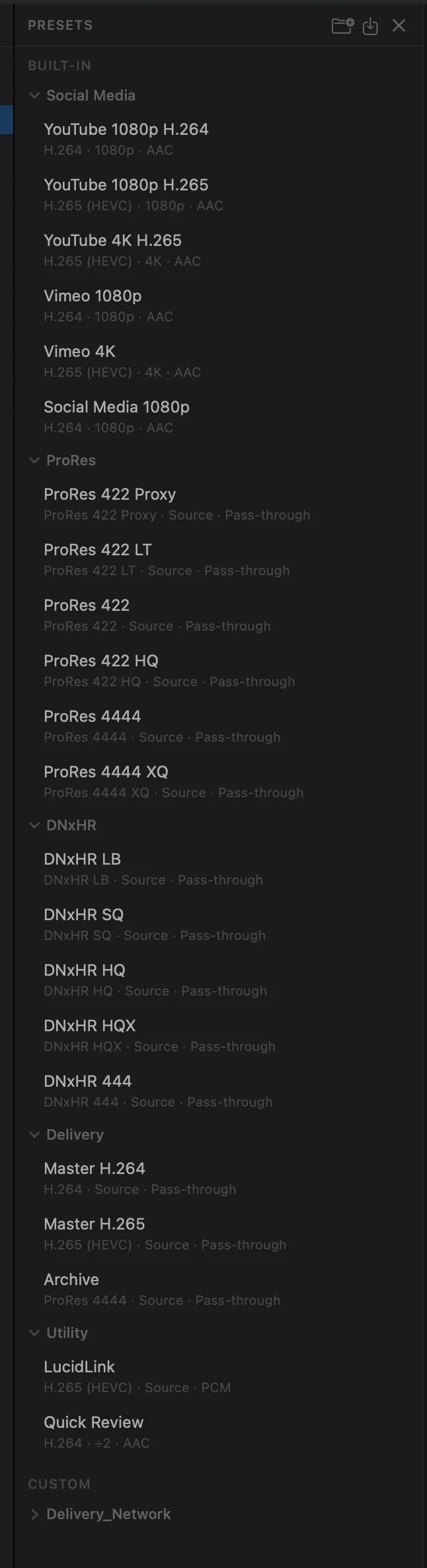
Ship with dozens of built-in presets for common workflows — Social Media, ProRes, DNxHR, Delivery, and more. With Pro, build your own.
Watch folders
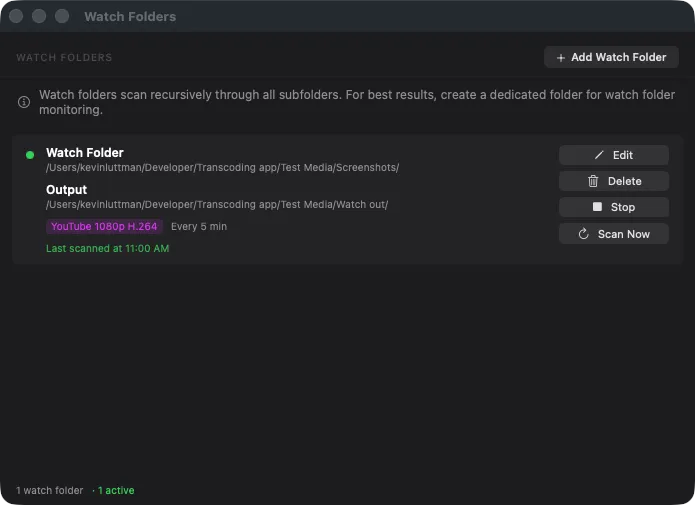
Set up folders that automatically transcode new files as they arrive. Pick a preset, set a polling interval, and walk away — Parallel Media Encoder handles the rest.
Insta360 support
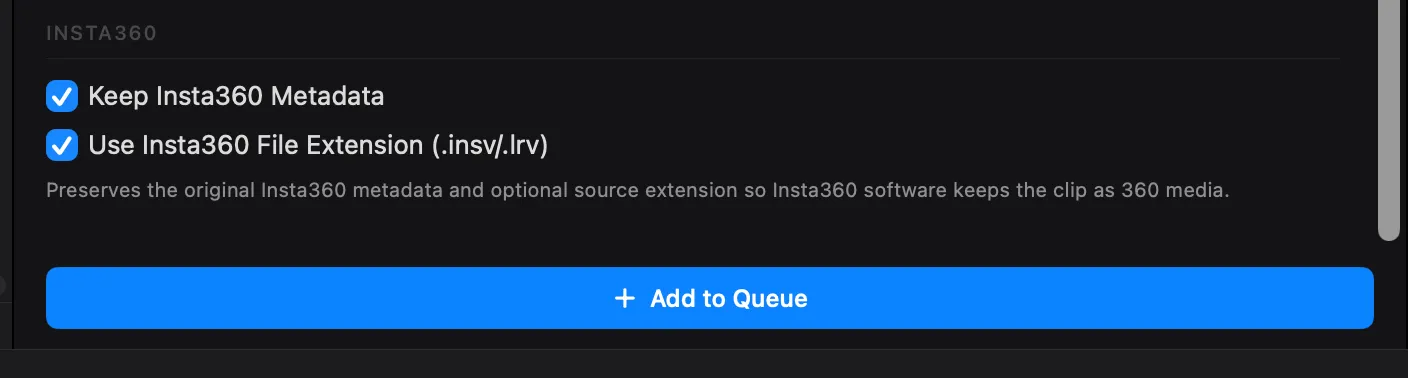
Transcode Insta360 footage while preserving the metadata that keeps it recognized as 360 media in Insta360 Studio and other tools.
- Preserve Insta360 metadata
- Optional .insv/.lrv file extension preservation
Start free, upgrade when you're ready
Download and start transcoding immediately. Unlock parallel encoding, DNx, RAW, and more with Pro.
Free
- H.264 / HEVC / ProRes output
- Batch queue (up to 8 files)
- 2 simultaneous encodes
- Built-in presets
- Video preview & drag-and-drop
- Auto-updates
- No DNx, RAW encode, LUTs, or overlays
Pro
- Everything in Free, plus:
- Parallel encoding (2–10 simultaneous)
- DNxHR & DNxHD output (all variants)
- RAW encode (BRAW, R3D, ProRes RAW, ARRI, Canon CRM)
- HEVC Main10 4:2:2 & ProRes alpha
- 3D LUT & overlay burn-in
- Custom presets (save/edit/export/import)
- Watch folders (auto-transcode new files)
- RAW exposure control
One-time purchase. No subscription.
Full feature comparison
| Feature | Free | Pro |
|---|---|---|
| Batch transcode queue | 8 queued, 2 concurrent | Full chip-tier concurrency |
| H.264 (all profiles) | ||
| HEVC Main / Main10 | ||
| HEVC Main10 4:2:2 | ||
| ProRes (Proxy–4444 XQ) | ||
| ProRes alpha pass-through | ||
| DNx (all variants) | ||
| RAW codecs (BRAW, R3D, ProRes RAW, ARRI, Canon CRM) | Import & preview only | |
| LUT support | ||
| Timecode/text overlay burn-in | ||
| Custom presets | ||
| Watch folders | ||
| Built-in presets | ||
| RAW exposure control | ||
| Auto-updates |
Ready to encode faster?
Download Parallel Media Encoder for free and upgrade when you need parallel power.
Download FreeRequires macOS 14.5 or later. Apple Silicon required.